Editing Ninjas

Visual storytellers and content alchemists who turn pixels into power.

  • Sale! Liquid Elements

    Liquid Elements

    Original price was: ₹150.00.Current price is: ₹49.00.

    Features:

    Editable colors

    Editable styles including glow, doodle, isometric and stroke

    Made of 100% After Effects layers

    Requirements:

    After Effects CS6 and above.

    It’s the August, 2018 release.

  • Sale! Montage Library V5 – Most Useful Effects

    Montage Library V5 – Most Useful Effects

    Original price was: ₹159.00.Current price is: ₹49.00.

    Over 750 professional Effects. This is a library of 750 effects and presets which will save you a lot of time and help you professionally edit your video in a matter of minutes. Montage Library contains all types of ready to use effects from 17 different categories: Camera Movements, Chromatic Effects, Color Effects, Distortion, Light Leaks, Screen Beats, Speed Beats, Time Effects, Transitions, Color Correction, Screen Effects. Every category contains different types of effects and creates unique stylish look. Apply a preset in one click and use Control Panel to adjust it like you want. We will frequently update Montage Library and add more categories and effects.

    Features

    • Over 550 effects&presets for any media content.
    • Easy for beginners – applying a preset in one click.
    • No holders needed – presets work through adjustment layers.
    • Animation Studio extension included.
    • Supported 4K resolution.
    • Change preset in one click.
    • Apply 1,2 or 3 presets at the same time to get unique design.
    • Easily change the duration of preset.
    • Doesn’t require advanced skills in After Effects
  • Sale! Neon Lower Thirds

    Neon Lower Thirds

    Original price was: ₹150.00.Current price is: ₹49.00.

    Premiere Pro Files – Motion Graphic Template (MOGRT)

    Video Tutorial

    No plugins required

    Easy Costomization

  • Sale! Neon Social Media Lower Thirds V2

    Neon Social Media Lower Thirds V2

    Original price was: ₹150.00.Current price is: ₹79.00.

    Neon Social Media Lower Thirds – After effects template.

    NO PLUG-INS REQUIRED

    in and out animation

    VIDEO TUTORIAL INCLUDED.

    Facebook, Twitter, Youtube, instagram

  • Sale! Original Seamless Transitions Pack v6.1

    Original Seamless Transitions Pack v6.1

    Original price was: ₹159.00.Current price is: ₹49.00.

    Handy Seamless Transitions – is a set of video-transitions which can help to make your video visually interesting and amazing! Slideshow, trailer, promo, music clip, broadcast, movie, documentary film or presentation – any your project will be far more fascinating, dynamic, and professional!

    Dynamic After Effects transitions for any video projects! Make your video visually interesting and amazing quickly, conveniently and effortlessly! Slideshow, trailer, promo, music clip, broadcast, movie, documentary film or presentation – every your project will be far more fascinating, dizzying, and professional!

    2000 dynamic After Effects transitions for any video projects! Make your video visually interesting and amazing quickly, conveniently and effortlessly! Slideshow, trailer, promo, music clip, broadcast, movie, documentary film or presentation – every your project will be far more fascinating, dizzying, and professional!
    Lift your videos to the next level! Add to your video editing tools these super cool Target-Zoom and Pan transitions!

    A new sixth version is available!  What’s new?

    • Now this pack is called – “Videolancer’s Transitions”
    • New transitions in the Distortion category – Hyper Jump
    • New transitions in the Stretch category – Wiggle
    • New large category – Shape
    • Updated the Motion Bro extension to version 2.3.

    What is included in the project

    The project includes two items, for different methods of using it – with a Motion Bro extension or adding manually.

    • Motion Bro Extension (requires After Effects CC.2014.2 and higher)
    • After Effects project file with a HST package, for manual method of use (requires After Effects CS6 and higher)
    • The bonus Glitch package, which includes some transitions from the package Glitch Handy Transitions
    • The bonus Split package, which includes some transitions from the package Split Handy Transitions
    • Script for quickly change the resolution of the transitions for your project (required only for manual method)
    • Sound effects pack. A unique sound is located in each transition-layer
  • Sale! Photomotion X 10.3.2 – Biggest Photo Animation Toolkit (5 in 1)

    Photomotion X 10.3.2 – Biggest Photo Animation Toolkit (5 in 1)

    Original price was: ₹150.00.Current price is: ₹49.00.

    Welcome Photomotion X

    We’ve spent years perfecting the art of animating static pictures. Photomotion X is the result.


    Five Products in One.

    The largest photo animation toolkit ever created.

    Portrait

    Animate any face with the most advanced portrait projection on the market.

    Glacier

    Create truly engaging cinemagraphs directly inside of Photomotion.

    Mirage

    Make your skies, smoke and water move with our new Mirage toolkit.

    Horizon

    Professional 3D projection for truly photorealistic results. Completely revamped in Photomotion X.

    Parallax

    Create stunning animations by combining simple parallax effect with the power of Photomotion.

    more coming soon

    We aim to create the most complete photo animation toolkit on the planet. Expect new animation tools soon.


    100 New Features

    Photomotion X is the biggest update we’ve ever created. It combines years of experience into one tool that brings more than 100 new features to you.

    Easier Than Ever with Smart Interface.

    Compatible with Mac & Windows. Requires Adobe After Effects installed on your computer.

    Your Command Centre. Our proprietary Smart Interface is constantly adapting to your actions, making it is easier than ever to use Photomotion. Developed by leading user experience designers to make sure you don’t need to read tons of tutorials to start using Photomotion. Save & Take with you.

    Working on multiple computers just got easier. Photomotion doesn’t require installation so you can simply move your project to another computer and continue working where you left off. Comes with full support for Windows and Mac OS.


    One-Click 3D Particles

    29 Fully Integrated Particle Systems

    With the new Photomotion X you can add professional 3D particles to your scene with a single click. Photomotion will automatically animate them for you so you don’t need to spend any time at all and your image will immediately look more engaging.

    Most popular:

    Snow, Rain, Leaves & Petals, Dust, Time – Freeze 24 more particle systems


    One-Click Seamless Loops

    Auto-Loop.

    Create infinitely long animations with our new auto-loop feature. One click and Photomotion will calculate all loops for you.

    Boomerang.

    Prefer boomerang effect? Photomotion X comes with one-click function to create boomerang animations for you.

    Packed with 100 Features

    Photomotion X is the largest photo animation toolkit ever created, packed with features to help you create stunning images easier.5 products in 1, Scene Relight, Camera Follow, Eyes Scale, Face Makeup, Slideshow Builder, Resolution Previews, Auto-Loop 92 more

    Variations.

    Create variations of your animation for different channels without re-animating your image again. This allows you to create multiple versions of the same animation in just a few clicks.

    Photomotion Presets

    Export different variations of your animation for different channels without need to re-animate your image.

    Buy Once. Animate Forever.

    We created Photomotion to help more people get into photo animation. Limiting how many pictures you could convert would go against our vision. We don’t put any limits on number of pictures you convert with Photomotion.


    Portrait

    Photomotion Portrait is the most advanced and feature rich projection for animating portrait photos. With most sophisticated projection engine on the market.

    Use X-ray:

    Photomotion uses professional 3D body scans to give you the most realistic depth maps you can get.

    True Depth:

    Let our proprietery Photomotion Xray calculate 3D mesh by simply choosing positions of your eyes and nose.

    Move in 3D space:

    Use Smart Interface to move your face in real 3D space, add particles, enhance your animation and export your video.


    Glacier

    Photomotion Glacier can create engaging cinemagraphs by freezing a part of your video while the rest continues to play in seamless loop or boomerang animation.

    Import Video:

    Import a video into Glacier where you will be able to stabilize it and make it ready for the next step.

    Freeze:

    Freeze one or more areas of your video by simply drawin a mask around it. All inside of After Effects.

    Auto-Loop:

    Glacier will automatically calculate seamless loops for you, so you can export your final video to any length.


    Mirage

    Photomotion Mirage combines the power of animating water, skies, smoke and others with our auto-loop system to create illusion of a movement in your photos.

    Mask:

    Import an image and create a mask around the area you want Mirage to animate. All inside of After Effects.

    Mesh Move:

    Mirage will calculate a mesh in your masked area and give you tools to animate it however you want.

    Seamlessly Looped:

    Mirage will then automatically caculate a seamless loop for you and let you export infinitely long animation.


    Horizon

    Photomotion Horizon is a professional 3D projection without the need to learn or use any 3D software. This is the most feature rich projection in Photomotion X.

    Use 3D Cage:

    Horizon uses our special control system for setting up a real 3D space by using intuitive user interface controls.

    Add Objects:

    Add objects to your scene such as people and let Horizon do the hard work of calculating their real 3D position.

    Animate & Export:

    Horizon offers the most advanced tools for photo animaiton. Use them to create stunning end results.


    Parallax

    Photomotion Parallax combines the power of Photomotion engine with the simplicity of parallax effect to create beautiful animations in no time.

    Add Background:

    Add the main layer to Parallax. That’s usually a background of your image.

    Add Layers:

    Add multiple objects into the scene, position them wherever you want and build your own 2.5D scene.

    Have Fun!

    Move the camera by using our Smart Interface and watch your layers come to life without need to set-up animations manually.


    Suitable for beginners

    Photomotion

    Easy to use and optimised for complete beginners as well as professionals

    Other

    Most tools aren’t optimised for beginners and first time users

    Suitable for professional use

    Photomotion

    full support for professional-grade tools, features and training

    Other

    most tools are offering very simple and limited featureset

    Suitable for professional use

    Photomotion

    full support for professional-grade tools, features and training

    Other

    most tools are offering very simple and limited featureset

    Number of projection methods

    Photomotion

    5 new coming soon

    Other

    1-2
  • Sale! Photoshop Mega Font Bundle

    Photoshop Mega Font Bundle

    Original price was: ₹999.00.Current price is: ₹499.00.
  • Sale! Premiere Pro Video Assets

    Premiere Pro Video Assets

    Original price was: ₹280.00.Current price is: ₹149.00.

    Elevate Your Video Projects with Premiere Pro Video Assets: Unleash Your Creativity!

    Looking to add that extra spark to your video projects and captivate your audience like never before? Our Premiere Pro Video Assets collection is your ultimate resource for high-quality, professionally designed elements that will take your videos to the next level.

    Key Features:

    1. Diverse Asset Library: Our collection boasts a wide variety of video assets, including intros, lower thirds, transitions, overlays, and more. With a vast selection to choose from, you’ll have the creative freedom to craft videos that truly stand out.
    2. Seamless Integration: Designed specifically for Premiere Pro, our video assets are compatible and seamlessly integrate into your editing workflow. Save time and effort with drag-and-drop functionality, ensuring a smooth editing process.
    3. High-Quality Visuals: Impress your audience with visually stunning elements. All video assets are crafted with meticulous attention to detail, ensuring top-notch quality and professional-grade visuals.
    4. Customizable Designs: Tailor the assets to fit your video’s style and theme. With easy-to-use customization options, you can adjust colors, fonts, and animations to match your brand identity and creative vision.
    5. Time-Saving Solutions: As a video creator, time is of the essence. Our Premiere Pro Video Assets are ready to use, eliminating the need to create elements from scratch. Focus on storytelling and content creation while we handle the visuals.
    6. Elevate Production Value: Enhance your video’s production value without breaking the bank. Our video assets provide a cost-effective way to elevate the overall quality of your projects and compete with industry-leading content.
    7. Endless Creative Possibilities: From stylish motion graphics to eye-catching animations, our video assets offer endless creative possibilities. Whether you’re producing corporate videos, social media content, or cinematic masterpieces, you’ll find assets that fit your vision.
    8. Ongoing Updates: We understand the importance of staying relevant in the ever-changing world of video production. Our collection is regularly updated with new and trending assets to keep your work fresh and innovative.

    Take your video editing to new heights with our Premiere Pro Video Assets collection. Delight your audience with captivating visuals, enhance your storytelling, and leave a lasting impact with your video projects.

    Step into the realm of professional video production today. Unlock the potential of Premiere Pro Video Assets and create videos that leave a lasting impression on your viewers. Get started now and elevate your video projects to extraordinary levels of creativity!

  • Sale! Slideshow Transitions Pack

    Slideshow Transitions Pack

    Original price was: ₹150.00.Current price is: ₹39.00.

    Slideshow Transitions Pack have been carefully crafted so that they are super-easy to use for all skill levels – simply place a transition-layer at the junction of the two scenes and everything is ready to roll.
    All transitions work without the need to do Pre-compose or Media Placeholders. Transformed any content, that is placed underneath the transition layer.

    Features

    • 80 dynamic transitions
    • For method using a Motion Bro requires After Effects CC.2014.2 and higher. Tutorial
    • For manual method requires After Effects CS6 and higher. Tutorial
    • For any resolutions. Including: HD | Full HD | 2K | 4K
    • For any aspect ratio regardless of orientation – portrait or landscape
    • Without media hodlers (adjustment layers system)
    • Easily change duration of the transition
    • Ability to move a Zoom Target
    • Ability to use in Premiere Pro (via the Dynamic Link). Tutorial
    • Does not require advanced skills in After Effects
    • AEP-file of Promo video is included
    • Music used in Promo (not included): Action Dubstep by Tiero-Music
    • Font used in Promo (free): Jersey M54
    • Free Demo Presets
    • Free Sound FX Pack
  • Sale! Split Handy Transitions

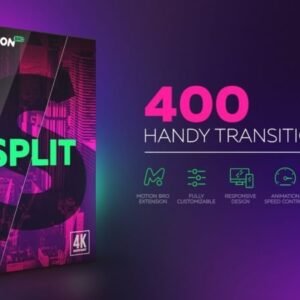
    Split Handy Transitions

    Original price was: ₹150.00.Current price is: ₹49.00.

    Split Handy Transitions have been carefully crafted so that they are super-easy to use for all skill levels – simply place a transition-layer at the junction of the two scenes and everything is ready to roll.
    All transitions work without the need to do Pre-compose or Media Placeholders. Transformed any content, that is placed underneath the transition layer.

  • Sale! SVG Mega Bundle

    SVG Mega Bundle

    Original price was: ₹2,599.00.Current price is: ₹999.00.

    The SVG Mega Bundle, the ultimate collection of scalable vector graphics designed to elevate your creative projects to new heights. Packed with versatility and visual appeal, this comprehensive bundle offers a treasure trove of high-quality SVG files ready to be utilized across a myriad of design endeavors.

WhatsApp Chat
×

Connect Us On WhatsApp: