Neon Lower Thirds
Original price was: ₹150.00.₹49.00Current price is: ₹49.00.Premiere Pro Files – Motion Graphic Template (MOGRT)
Video Tutorial
No plugins required
Easy Costomization
Showing 73–84 of 93 results

Premiere Pro Files – Motion Graphic Template (MOGRT)
Video Tutorial
No plugins required
Easy Costomization

Neon Social Media Lower Thirds – After effects template.
NO PLUG-INS REQUIRED
in and out animation
VIDEO TUTORIAL INCLUDED.
Facebook, Twitter, Youtube, instagram

Handy Seamless Transitions – is a set of video-transitions which can help to make your video visually interesting and amazing! Slideshow, trailer, promo, music clip, broadcast, movie, documentary film or presentation – any your project will be far more fascinating, dynamic, and professional!
Dynamic After Effects transitions for any video projects! Make your video visually interesting and amazing quickly, conveniently and effortlessly! Slideshow, trailer, promo, music clip, broadcast, movie, documentary film or presentation – every your project will be far more fascinating, dizzying, and professional!
2000 dynamic After Effects transitions for any video projects! Make your video visually interesting and amazing quickly, conveniently and effortlessly! Slideshow, trailer, promo, music clip, broadcast, movie, documentary film or presentation – every your project will be far more fascinating, dizzying, and professional!
Lift your videos to the next level! Add to your video editing tools these super cool Target-Zoom and Pan transitions!
The project includes two items, for different methods of using it – with a Motion Bro extension or adding manually.

Unlock your full potential and build a powerful personal brand with our comprehensive Personal Brand Building & Course-Webinar Creation program. Whether you’re a professional looking to establish yourself as an authority in your field or an aspiring entrepreneur eager to share your expertise, this program equips you with the tools, strategies, and confidence to create a successful personal brand and design compelling courses and webinars to engage and educate your audience.
Key Features:
Program Benefits:
Unleash the power of your personal brand and share your knowledge with the world through compelling courses and webinars. Enroll in our Personal Brand Building & Course-Webinar Creation program and take the first step toward becoming a recognized and influential authority in your field. Let’s build your personal brand journey together!

Unleash Your Inner Photographer with our Photography Mastery Course: Elevate Your Skills and Capture Breathtaking Moments! Are you passionate about photography and eager to take your skills to the next level? Look no further! Our Photography Mastery Course is designed to equip you with the knowledge, techniques, and creative vision to become a true master…
We’ve spent years perfecting the art of animating static pictures. Photomotion X is the result.
The largest photo animation toolkit ever created.
Portrait
Animate any face with the most advanced portrait projection on the market.
Glacier
Create truly engaging cinemagraphs directly inside of Photomotion.
Mirage
Make your skies, smoke and water move with our new Mirage toolkit.
Horizon
Professional 3D projection for truly photorealistic results. Completely revamped in Photomotion X.
Parallax
Create stunning animations by combining simple parallax effect with the power of Photomotion.
more coming soon
We aim to create the most complete photo animation toolkit on the planet. Expect new animation tools soon.
Photomotion X is the biggest update we’ve ever created. It combines years of experience into one tool that brings more than 100 new features to you.
Compatible with Mac & Windows. Requires Adobe After Effects installed on your computer.
Your Command Centre. Our proprietary Smart Interface is constantly adapting to your actions, making it is easier than ever to use Photomotion. Developed by leading user experience designers to make sure you don’t need to read tons of tutorials to start using Photomotion. Save & Take with you.
Working on multiple computers just got easier. Photomotion doesn’t require installation so you can simply move your project to another computer and continue working where you left off. Comes with full support for Windows and Mac OS.
29 Fully Integrated Particle Systems
With the new Photomotion X you can add professional 3D particles to your scene with a single click. Photomotion will automatically animate them for you so you don’t need to spend any time at all and your image will immediately look more engaging.
Most popular:
Snow, Rain, Leaves & Petals, Dust, Time – Freeze 24 more particle systems
Auto-Loop.
Create infinitely long animations with our new auto-loop feature. One click and Photomotion will calculate all loops for you.
Boomerang.
Prefer boomerang effect? Photomotion X comes with one-click function to create boomerang animations for you.
Packed with 100 Features
Photomotion X is the largest photo animation toolkit ever created, packed with features to help you create stunning images easier.5 products in 1, Scene Relight, Camera Follow, Eyes Scale, Face Makeup, Slideshow Builder, Resolution Previews, Auto-Loop 92 more
Variations.
Create variations of your animation for different channels without re-animating your image again. This allows you to create multiple versions of the same animation in just a few clicks.
Photomotion Presets
Export different variations of your animation for different channels without need to re-animate your image.
Buy Once. Animate Forever.
We created Photomotion to help more people get into photo animation. Limiting how many pictures you could convert would go against our vision. We don’t put any limits on number of pictures you convert with Photomotion.
Photomotion Portrait is the most advanced and feature rich projection for animating portrait photos. With most sophisticated projection engine on the market.
Use X-ray:
Photomotion uses professional 3D body scans to give you the most realistic depth maps you can get.
True Depth:
Let our proprietery Photomotion Xray calculate 3D mesh by simply choosing positions of your eyes and nose.
Move in 3D space:
Use Smart Interface to move your face in real 3D space, add particles, enhance your animation and export your video.
Photomotion Glacier can create engaging cinemagraphs by freezing a part of your video while the rest continues to play in seamless loop or boomerang animation.
Import Video:
Import a video into Glacier where you will be able to stabilize it and make it ready for the next step.
Freeze:
Freeze one or more areas of your video by simply drawin a mask around it. All inside of After Effects.
Auto-Loop:
Glacier will automatically calculate seamless loops for you, so you can export your final video to any length.
Photomotion Mirage combines the power of animating water, skies, smoke and others with our auto-loop system to create illusion of a movement in your photos.
Mask:
Import an image and create a mask around the area you want Mirage to animate. All inside of After Effects.
Mesh Move:
Mirage will calculate a mesh in your masked area and give you tools to animate it however you want.
Seamlessly Looped:
Mirage will then automatically caculate a seamless loop for you and let you export infinitely long animation.
Photomotion Horizon is a professional 3D projection without the need to learn or use any 3D software. This is the most feature rich projection in Photomotion X.
Use 3D Cage:
Horizon uses our special control system for setting up a real 3D space by using intuitive user interface controls.
Add Objects:
Add objects to your scene such as people and let Horizon do the hard work of calculating their real 3D position.
Animate & Export:
Horizon offers the most advanced tools for photo animaiton. Use them to create stunning end results.
Photomotion Parallax combines the power of Photomotion engine with the simplicity of parallax effect to create beautiful animations in no time.
Add Background:
Add the main layer to Parallax. That’s usually a background of your image.
Add Layers:
Add multiple objects into the scene, position them wherever you want and build your own 2.5D scene.
Have Fun!
Move the camera by using our Smart Interface and watch your layers come to life without need to set-up animations manually.
Photomotion
Easy to use and optimised for complete beginners as well as professionals
Other
Most tools aren’t optimised for beginners and first time users
Photomotion
full support for professional-grade tools, features and training
Other
most tools are offering very simple and limited featureset
Photomotion
full support for professional-grade tools, features and training
Other
most tools are offering very simple and limited featureset
Photomotion
5 new coming soon
Other
1-2


If you found yourself losing the fight with creatives and content for your Personal Development niche blog, you have to consider using your content such as eBooks, blog articles, tips and tricks, and newsletters to boost your web site traffic and revenue. This product includes PLR articles on the subject of personal development.

Elevate Your Video Projects with Premiere Pro Video Assets: Unleash Your Creativity!
Looking to add that extra spark to your video projects and captivate your audience like never before? Our Premiere Pro Video Assets collection is your ultimate resource for high-quality, professionally designed elements that will take your videos to the next level.
Key Features:
Take your video editing to new heights with our Premiere Pro Video Assets collection. Delight your audience with captivating visuals, enhance your storytelling, and leave a lasting impact with your video projects.
Step into the realm of professional video production today. Unlock the potential of Premiere Pro Video Assets and create videos that leave a lasting impression on your viewers. Get started now and elevate your video projects to extraordinary levels of creativity!

Slideshow Transitions Pack have been carefully crafted so that they are super-easy to use for all skill levels – simply place a transition-layer at the junction of the two scenes and everything is ready to roll.
All transitions work without the need to do Pre-compose or Media Placeholders. Transformed any content, that is placed underneath the transition layer.
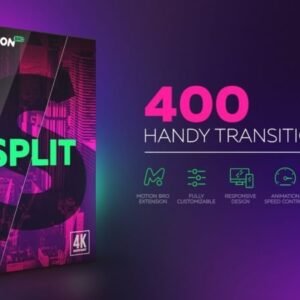
Split Handy Transitions have been carefully crafted so that they are super-easy to use for all skill levels – simply place a transition-layer at the junction of the two scenes and everything is ready to roll.
All transitions work without the need to do Pre-compose or Media Placeholders. Transformed any content, that is placed underneath the transition layer.

The SVG Mega Bundle, the ultimate collection of scalable vector graphics designed to elevate your creative projects to new heights. Packed with versatility and visual appeal, this comprehensive bundle offers a treasure trove of high-quality SVG files ready to be utilized across a myriad of design endeavors.


Connect Us On WhatsApp: